Escaped JSON
Escaped JSON (also called "stringified JSON") is JSON that has been serialized as a string. Instead of a clean { "name": "Alice" }, you get "{\"name\":\"Alice\"}" with backslash escapes around every quote.
This happens constantly in real-world development -- API responses wrap JSON in string fields, log files quote it, and CLI tools output it with escaping. JSONFiddle detects escaped JSON automatically and offers one-click unescaping.
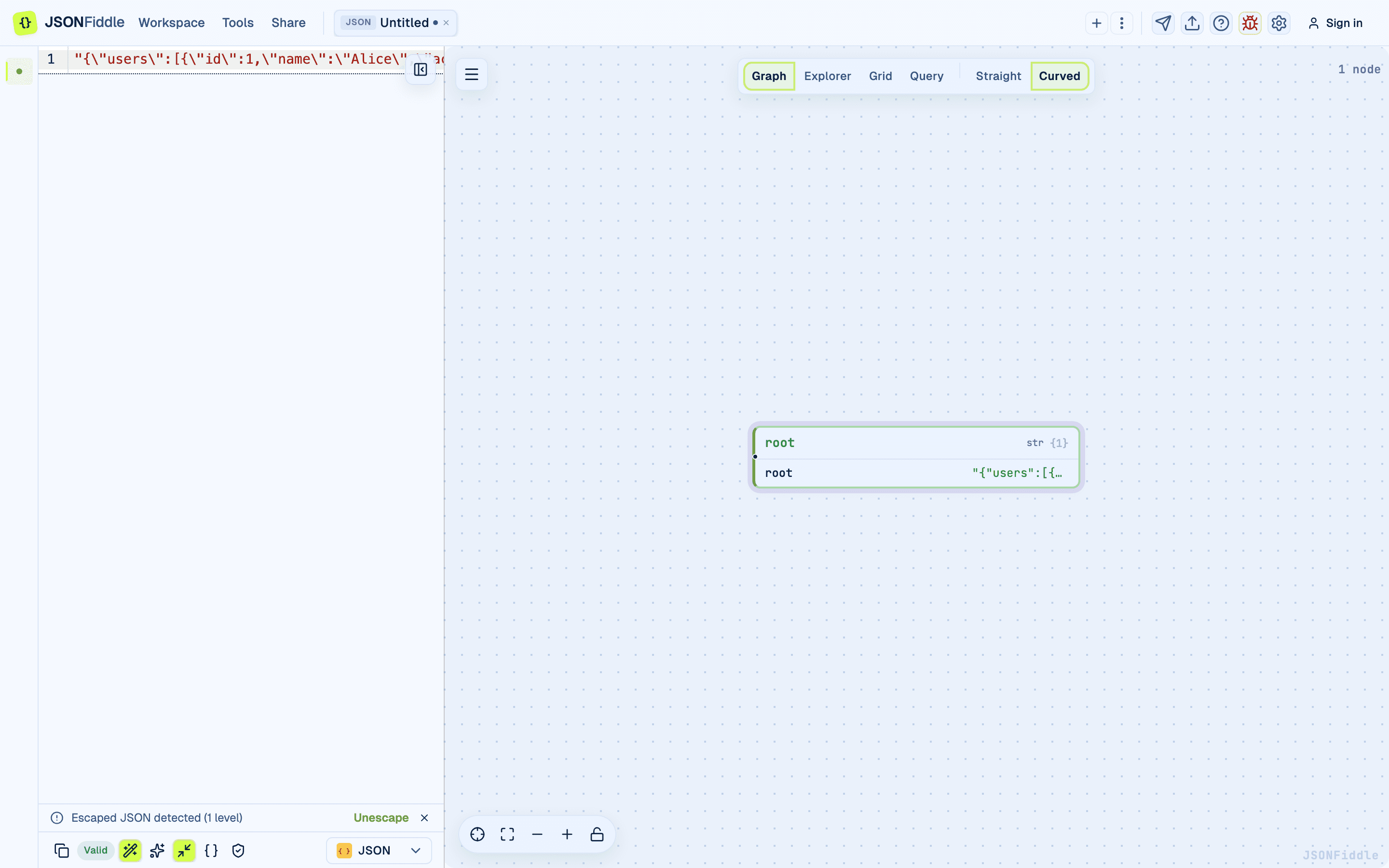 Screenshot: The editor showing detected escaped JSON with the unescape banner.
What is Escaped JSON?
When JSON is stored inside a string value, every special character must be escaped:
| Original | Escaped |
|---|---|
" (double quote) | \" |
\n (newline) | \\n |
\t (tab) | \\t |
\\ (backslash) | \\\\ |
Common Sources of Escaped JSON
| Source | Example |
|---|---|
| API string fields | { "data": "{\"name\":\"Alice\"}" } |
| Log files | [INFO] payload: {\"users\":[{\"id\":1}]} |
| CLI output | echo '{"name":"Alice"}' | jq -c wrapped in quotes |
| Environment variables | CONFIG="{\"db\":{\"host\":\"localhost\"}}" |
| Message queues | SQS/Kafka messages where the body is a JSON string |
| Database text columns | JSON stored as a text/varchar string |
What It Looks Like
Single-escaped (most common):
"{\"name\":\"Alice\",\"age\":30,\"active\":true}"
Double-escaped (JSON stringified twice):
"\"{\\\"name\\\":\\\"Alice\\\",\\\"age\\\":30}\""
Triple-escaped (rare, but happens in deeply nested systems):
"\"\\\"{\\\\\\\\"name\\\\\\\\\":\\\\\\\\\"Alice\\\\\\\\\"}\\\"\""
Raw backslash-escaped (no outer quotes):
{\"name\":\"Alice\",\"age\":30}
How JSONFiddle Detects Escaped JSON
When you paste content into the editor, JSONFiddle's detection logic checks:
- Is the content a quoted string? If the content starts and ends with
", and the interior contains\", it is likely escaped JSON. - What level of escaping? JSONFiddle counts the layers of string escaping:
- 1 layer:
"{\"name\":\"Alice\"}"->escapedJsonLevels: 1 - 2 layers:
"\"{\\\"name\\\":\\\"Alice\\\"}\""->escapedJsonLevels: 2 - 3 layers: deeper escaping ->
escapedJsonLevels: 3
- 1 layer:
- Raw backslash escaping? If the content does not start with
"but contains\"patterns, JSONFiddle detects raw backslash escaping.
The Detection Banner
When escaped JSON is detected, JSONFiddle shows a banner at the top of the editor:
This looks like escaped JSON (1x escaped). Click to unescape.
The banner specifies the escaping level (1x, 2x, 3x).
Screenshot: The escaped JSON detection banner at the top of the editor.
How to Unescape
One-Click Unescape
- Paste escaped JSON into the editor.
- The detection banner appears.
- Click the banner.
- JSONFiddle unescapes the content. The editor shows clean, formatted JSON.
- The banner disappears.
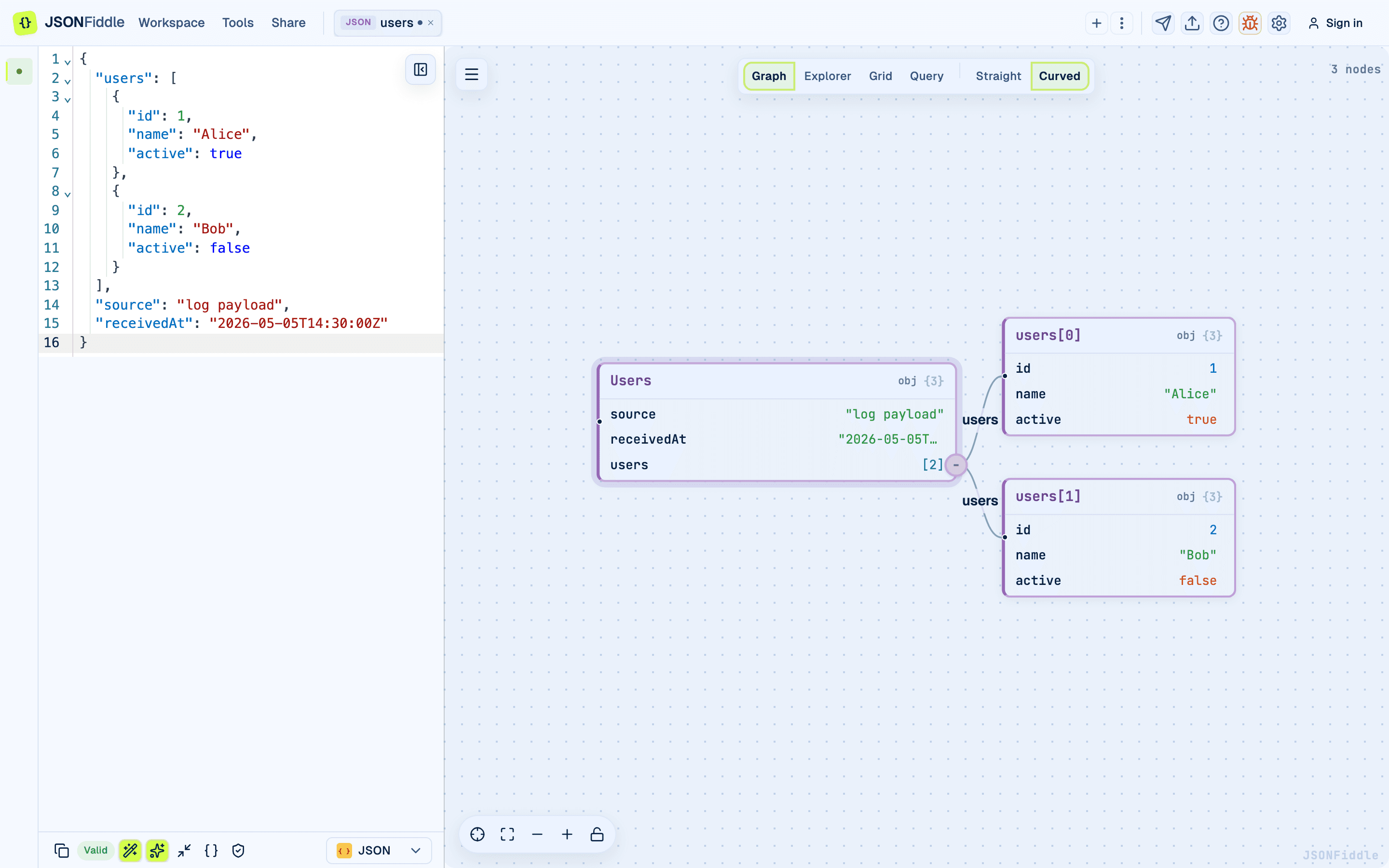 Screenshot: The editor after unescaping, showing clean indented JSON.
What Happens During Unescaping
For each level of escaping:
- JSONFiddle removes the outer quotes.
- It unescapes
\"->",\\n->\n,\\t->\t,\\\\->\\. - It parses the result as JSON.
- If there are more escaping levels, it repeats the process.
- The final result is properly formatted JSON.
Multi-Level Unescaping
For 2x or 3x escaped JSON, JSONFiddle unescapes all levels at once. You do not need to click the banner multiple times.
Examples
Example 1: Single-Escaped JSON from an API
What you paste:
"{\"users\":[{\"id\":1,\"name\":\"Alice\",\"email\":\"alice@example.com\"},{\"id\":2,\"name\":\"Bob\",\"email\":\"bob@example.com\"}]}"
What you get after unescaping:
{
  "users": [
    {
      "id": 1,
      "name": "Alice",
      "email": "alice@example.com"
    },
    {
      "id": 2,
      "name": "Bob",
      "email": "bob@example.com"
    }
  ]
}
Example 2: Double-Escaped JSON from a Logging System
Some logging systems serialize JSON twice -- once for the payload and once for the log message wrapper.
What you paste:
"\"{\\\"event\\\":\\\"user_login\\\",\\\"timestamp\\\":\\\"2024-01-15T10:30:00Z\\\",\\\"user_id\\\":12345}\""
After unescaping (both levels):
{
  "event": "user_login",
  "timestamp": "2024-01-15T10:30:00Z",
  "user_id": 12345
}
Example 3: Raw Backslash-Escaped JSON from Shell Output
What you paste:
{\"config\":{\"database\":{\"host\":\"localhost\",\"port\":5432},\"cache\":{\"ttl\":3600}}}
After unescaping:
{
  "config": {
    "database": {
      "host": "localhost",
      "port": 5432
    },
    "cache": {
      "ttl": 3600
    }
  }
}
Example 4: JSON Inside a JSON String Field
Sometimes the outer JSON is valid, but one of its fields contains an escaped JSON string. Paste just the inner escaped string:
Original API response:
{
  "status": "success",
  "body": "{\"name\":\"Alice\",\"orders\":[{\"id\":101,\"total\":59.99}]}"
}
Copy the value of body (including the outer quotes) and paste it as a new document. JSONFiddle detects the escaping and offers to unescape.
Escaping Detection Levels
| Level | Pattern | Description |
|---|---|---|
| 1x escaped | "{\"key\":\"value\"}" | JSON.stringify() called once. Most common. |
| 2x escaped | "\"{\\\"key\\\":\\\"value\\\"}\"" | JSON.stringify() called twice. Common in message queues. |
| 3x escaped | Deeper escaping | JSON.stringify() called three times. Rare. |
| Raw backslash | {\"key\":\"value\"} | No outer quotes, but internal quotes are escaped. Common in shell output. |
Troubleshooting
"No banner appeared"
The detection works for common escaping patterns. If your content uses a non-standard escaping method, the banner may not appear. Try manually removing the outer quotes and unescaping \" to " in the code editor.
"The unescaped JSON is still escaped"
There were more escaping levels than detected. Paste the result again -- if there is another level, a new banner will appear.
"The unescaped result is invalid JSON"
The original content may have been corrupted during escaping. Check for:
- Incomplete strings (missing closing quotes).
- Truncated data (common in logs with character limits).
- Mixed escaping styles (some tools use different escape characters).
"I want to re-escape JSON for testing"
Use JSON Escape / Unescape when you need to turn clean JSON back into an escaped string literal for testing.
FAQ
Q: Can JSONFiddle detect escaped YAML or XML?
A: No. The escaped content detection is specific to JSON escaping patterns (\", \\n, etc.).
Q: Does unescaping modify the original content?
A: Yes. Clicking the banner replaces the escaped content with the clean JSON. Recover the original with Cmd+Z.
Q: How many escaping levels can JSONFiddle detect? A: Up to 3 levels of string escaping, plus raw backslash escaping.
Q: Can I disable the detection banner? A: Not currently.
Related Guides
- Getting Started -- overview of auto-detection and format handling.
- Format Conversion -- how auto-detection works for all formats.
- Bottom Bar -- the Valid/Invalid badge after unescaping.